

8 YouTube Ad Settings That Will Amplify Your Sales
Date of publish:


Wonderful creature RACOON


Introduction
In this article, we will explore YouTube Advertising options that will boost your sales and leads. The wrong settings can significantly impact performance and as a result, even very effective video ads can have much higher cost per conversion.
Why are correct settings so important?
YouTube advertising, done through Google Ads, allows brands to reach a large and diverse audience on the world’s second most visited website.
YouTube is part of the Google Display Network. YouTube has more than 1.9 billion monthly users. Unlike regular search campaigns in Google Ads, where your reach is limited to specific search queries, with YouTube Ads, you always reach a very broad audience. Your specifications should be very specific, otherwise the algorithm will have trouble finding a relevant audience. A lot of users turn ad personalization off, making your job to reach them even more difficult.
Before running any campaigns, please make sure that your Google Analytics tracking is set up in the correct way. You need to provide YouTube ad settings with the correct conversion signals. This is the foundation.
In this article, we will go through the YouTube ad settings that will help you to get better results.
YouTube Ads Strategy
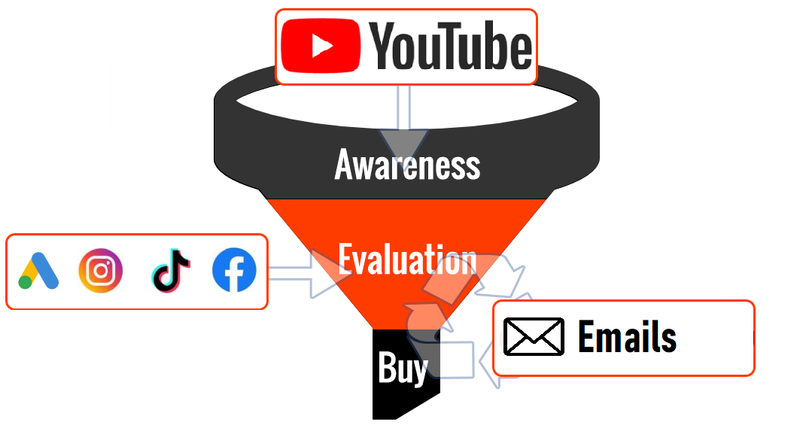
The first thing we want to shed some light on is that no matter how tried your sales funnel is or how awesome your video ads are, based on our years of testing, the chances of you starting to get direct sales through video ads are slim.
Unlike google search, YouTube’s advertising strategy is more about lead generation rather than direct sales.
Businesses that actively use email collection and email-marketing to re-engage audiences get the most value from YouTube ads in our experience.
To create YouTube ads, you must have a YouTube account linked to your Google ads. Let’s figure out what formats of ads are available on YouTube.
YouTube ad formats
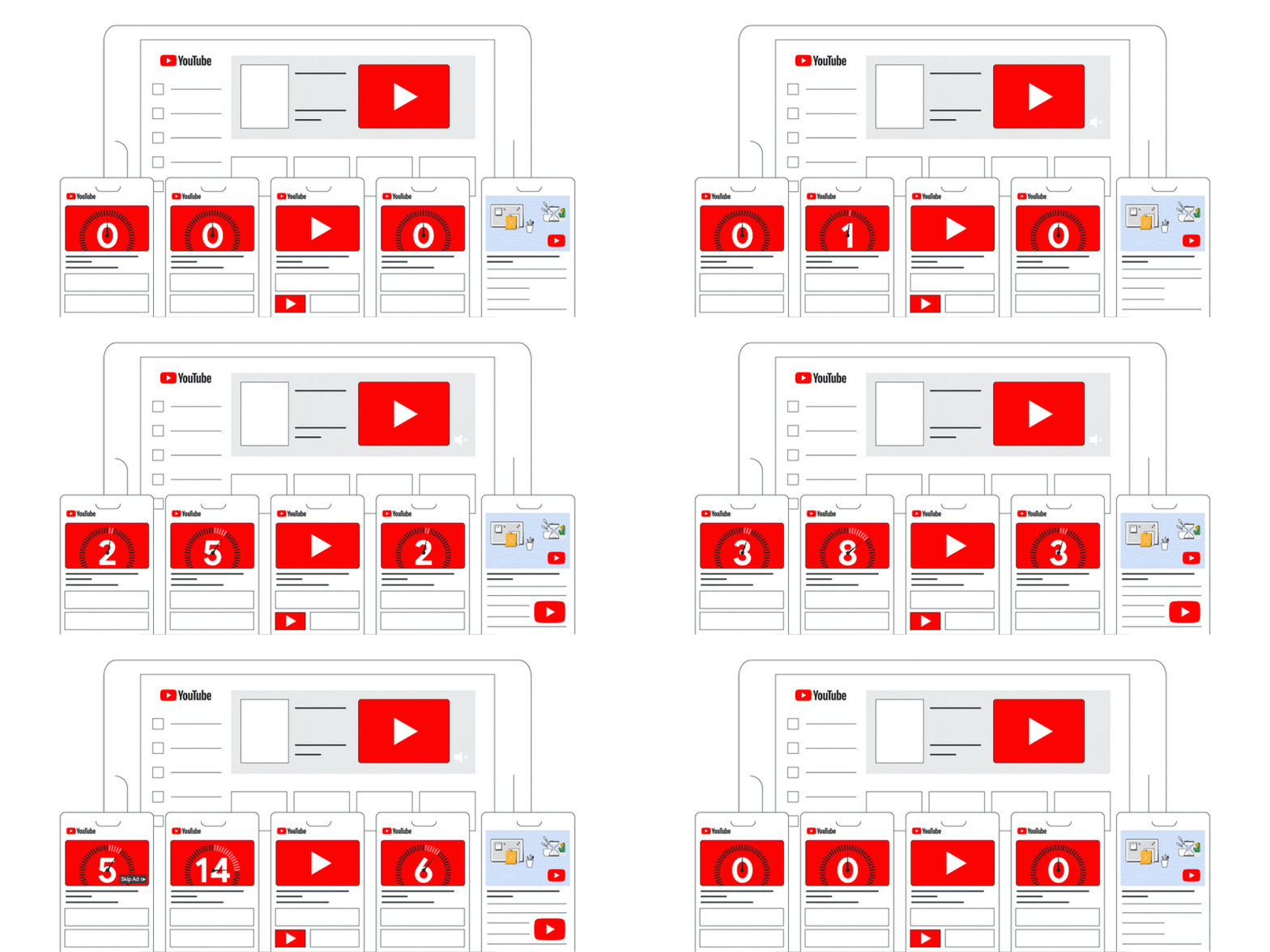
- Skippable in-stream ads This video format appears during or before YouTube videos. As the name suggests, these ads can be skipped after the first 5 seconds are complete.
- Non-skippable in-stream ads This type of video is essentially the same as the previous one, but the video is limited to 15 seconds and cannot be skipped.
- YouTube Discovery ads (in-feed video ads).Discovery ads work in a similar way to paid search placements on Google. They are served around organic searches and existing YouTube content in a contextual way.
- Bumper ads These are non-skippable and are the shortest type of YouTube ad available (up to 6 seconds). Bumper ads can be used effectively for brand awareness or product consideration.
- Outstream ads This ad format shows only on websites and apps of Google video partners and is not available for YouTube. It runs only on mobile phones.
- Masthead ads The main advantage of mastheads ads is awareness of your product that you could reach by advertising to a large audience in a short period of time. A featured video in a Masthead ad autoplays without the sound for up to 30 seconds on mobile phones and for the full duration of the video on desktops and TVs.
YouTube allows using Skippable in-stream ads for conversion campaigns or, as Google calls them now, Video action campaigns. For that reason, let’s cover this type of video ad deeply.
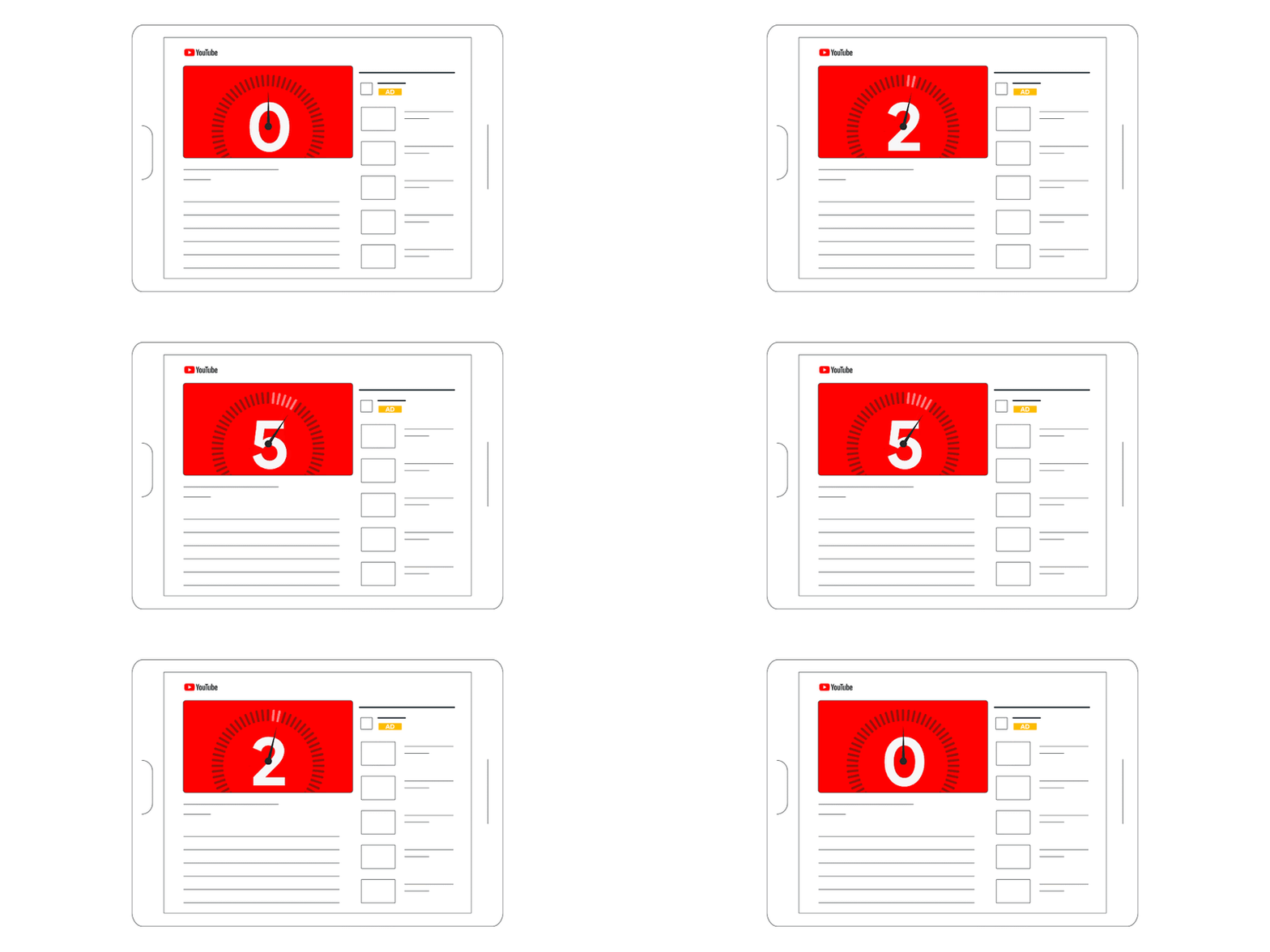
Skippable in-stream ads are well-known video ads that appear before, during, or after other videos, and after 5 seconds, the viewer has the option to skip the ad. You can often see them referred to as trueview video ad.
Advertisers pay for these ads when users watch for at least 30 seconds, watch an entire short video, or interact with an ad in some way, such as clicking on a CTA (call-to-action).
Use other types of ads for goals such as brand awareness or product consideration, which may be part of your global marketing strategy, but are not suitable for direct conversions in our experience.
If you’re dying to know how to create an awesome YouTube video ad, this article is for you: “7 Tips For Creating Effective YouTube Video Ads”.
Next, let’s focus on YouTube ad setting tips that help you succeed with Ads.
Choose the objective
1.1 CHOOSE THE OBJECTIVE OF YOUR CAMPAIGN.
This choice affects the further settings you can access and the Google Ads optimization recommendations you will receive.
With a conversion strategy, you have three goals to choose from: Sales, Leads, and Website Traffic.
We recommend selecting Sales on this step to drive conversions.
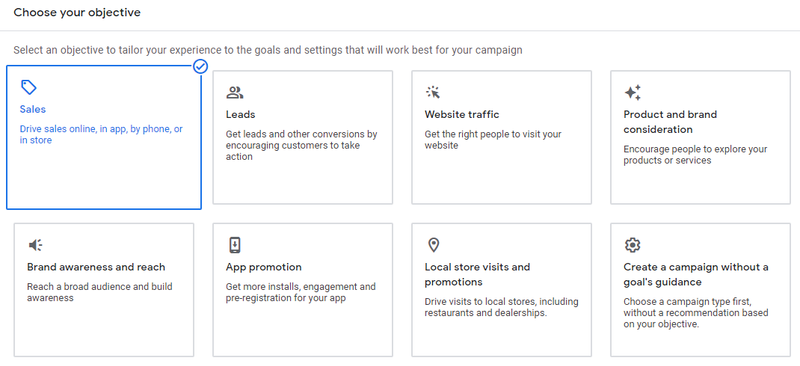
Always think about your funnel, and if your main goal is that a user buys a paid product, then even in lead campaigns, it makes sense to use the goal – Sale. Our experience shows that this non-obvious trick achieves excellent results.

1.2 CHOOSE A BIDDING STRATEGY
Two bidding strategies are available for you here: Maximize conversions and Target CPA (cost per action).
If you’re just getting started with YouTube ad campaigns, we recommend using Maximize Conversions, as it automatically sets bids and will use up your entire budget. When using the Target CPA bidding strategy, you set the bid limit yourself, but you must know your CPA to use this strategy effectively.
Get a weekly email to amplify your
e-commerce sales.
Over 10000 companies already in the list!